Cross-Play Servers Let Minecraft Bedrock Players Join Java Cobblemon Mod Worlds
Server directories now list dozens of cross-play realms that let Minecraft Bedrock players join Java Cobblemon worlds and major multiplayer hubs.
 9Minecraft Team
Server directories tracking multiplayer activity show a steady rise in cross-play realms that connect Minecraft Bedrock Edition users to Java Edition creature-catching worlds. According to VoxelRank, 40 of its 125 listed Cobblemon servers currently accept Bedrock clients, with 14 running survival multiplayer (SMP) setups and 14 focused on classic survival. Separate vetted tracking from CobblemonServers lists 9 approved cross-play realms, giving phone, console, and Windows players a practical route into one of Java's biggest modded communities without needing a gaming PC.
How Bedrock Cross-Play Works for a Java Mod
Because Cobblemon is built strictly as a Java mod, no native version exists for Xbox, PlayStation, Nintendo Switch, iOS, or Android. As CobblemonServers explains, network administrators bridge that divide by running Geyser, proxy software that translates Bedrock network packets into Java connections, usually over port 19132. Most cross-play hosts pair Geyser with Floodgate, an authentication plugin that lets Bedrock players sign in using their standard Microsoft account rather than buying a separate Java licence.
To display creatures and custom interfaces on unmodded devices, servers push downloadable resource packs upon login. CobblemonBedrock, which operates its own customised version of Geyser, demonstrates mobile Bedrock users and PC Java players trading and battling side by side in the same world without client-side mods. Still, CobblemonServers cautions that Bedrock clients cannot execute Java code directly, meaning party menus, 3D creature models, and battle screens rely on server-side translations that can look simplified compared to a Fabric setup on PC.
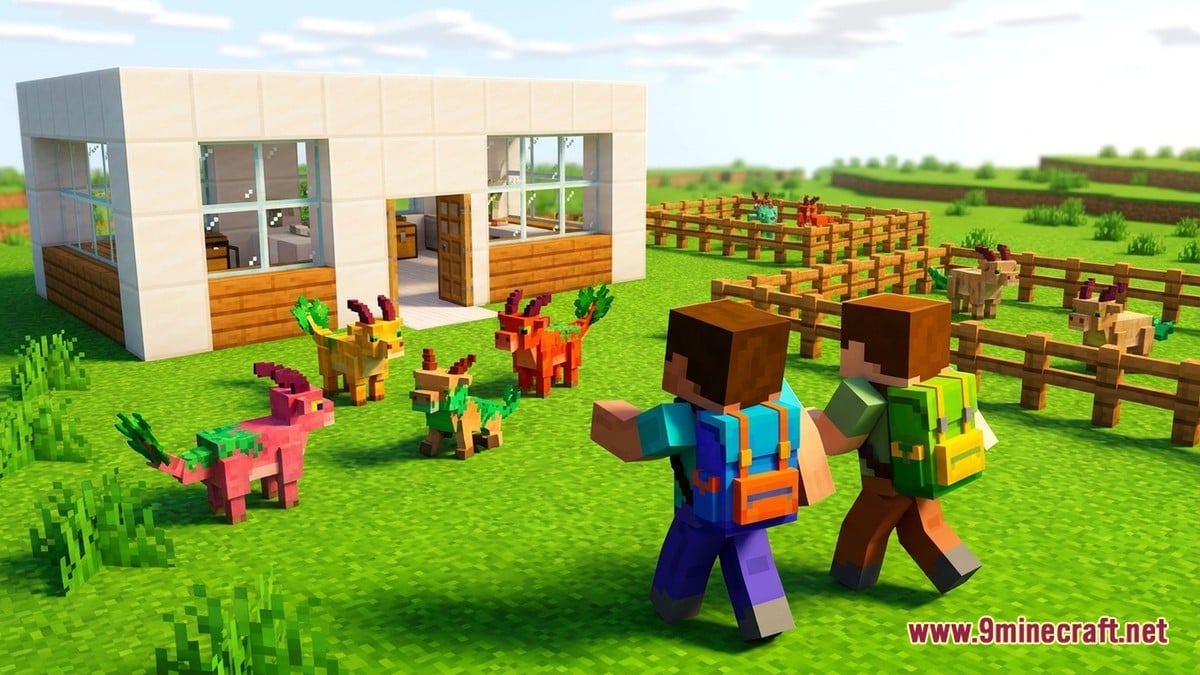
Java Edition Client (PC)
- Loads full Fabric or Cobbleverse modpacks natively
- Displays complete custom battle screens and party UIs
- Connects via default Java server addresses
- Requires a computer and a paid Java account
Bedrock Edition Client (Geyser Cross-Play)
- Requires zero client mods; downloads server resource packs
- Menus and battle screens may appear simplified
- Connects via a dedicated Bedrock port (often 19132) or friend bot
- Works across mobile, Windows, Xbox, PlayStation, and Switch
Popular Cobblemon and Bedrock Networks Right Now
Among dedicated creature-catching worlds on VoxelRank, where rankings reset on the first of every month based strictly on daily player votes rather than paid sponsorships, CobbleWorld currently holds the top spot with 95 monthly votes and 23 concurrent players on version 1.21. It advertises a non-pay-to-win progression loop featuring collectable cards, Rotom Phones, heists, raids, backpacks, gyms, and battle towers. Canada-based Dystopia Network also stands out with 198 monthly points and a 4.8 out of 5 score across 14 player reviews for its roleplay survival design across versions 1.7.2 to 1.21.11.
Looking purely at live population on VoxelRank, multi-mode hub TalonMC leads the pack with 2,830 players online across Skyblock and Prison realms supporting versions 1.7.2 to 1.21.10. Beta adventure network MMORealms follows with 271 players across versions up to 26.3, ahead of Sharpness Network (143 online in PvP and Bedwars) and MineFury (136 online with guild systems). Mid-sized communities include Canadian expedition server Cobblemon Town (55 online) and Germany's Toxigon Network (43 online), which runs a permanent 1.20 hardcore world that never resets. Smaller active listings include Feargames (23), Pixelax (21), Roanoke Network (15), CobbleKingdoms (14), Cobblemon Rivals (14), anarchy realm Hard (5), and PokeSMP (5).
| Server | Region | Online Players | Supported Versions | Core Focus |
|---|---|---|---|---|
| TalonMC | United States | 2,830 | 1.7.2 – 1.21.10 | Cobblemon, Skyblock, Prison |
| MMORealms | United States | 271 | 1.7.2 – 26.3 | Beta MMO Adventure, Pixelmon & Cobblemon |
| Sharpness Network | United States | 143 | 1.7.2 – 26.3 | Cobblemon, PvP, Bedwars |
| MineFury | United States | 136 | 1.7.2 – 26.3 | Skyblock, Prison, Guilds |
| Cobblemon Town | Canada | 55 | 1.7.2 – 1.21.10 | Expeditions, Community SMP |
| Toxigon Network | Germany | 43 | 1.7.2 – 26.3 | No-reset 1.20 Hardcore Survival |
| CobbleWorld | United States | 23 | 1.21 | Gyms, Raids, Cards, No P2W (#1 by monthly votes) |
| Dystopia Network | Canada | 17 | 1.7.2 – 1.21.11 | Survival RPG (4.8/5 across 14 reviews) |
Gameplay across these realms typically blends modded survival with structured creature progression. BoardMC notes that most servers centre on gyms, tournaments, player economies, chunk-claiming systems, PvE raids, and resettable resource worlds. On CobblemonBedrock, for instance, challengers face one gym leader per elemental type, with every earned badge raising their team's level cap. Players can also claim land to build safely with friends, hunt 7 rotating wanted creatures for PokéCoins and Prisms, or leave paired creatures in a pasture to produce eggs that hatch while carried.
Players who prefer traditional Bedrock minigames and survival networks without creature mods have larger hubs to choose from as well. According to Minecraft-Serverlist, monthly community voting across broader multiplayer listings is currently led by BagelSMP in first place, BOHOL NETWORK in second, and PikaNetwork in third. These multi-server networks link Survival, SkyBlock, Factions, Prison, and Creative realms under a single hub address while preserving controller and cross-device support.
Community Reception and Common Pitfalls
Community reception across server directories reflects both excitement over cross-play accessibility and impatience with misleading server tags. High review averages on VoxelRank show strong support for servers that keep progression fair and avoid pay-to-win perks, while players praise being able to trade across phone and PC. On the critical side, directory guides on CobblemonServers and MinecraftServer.buzz highlight frequent complaints about multi-mode networks that advertise Bedrock compatibility when Geyser only functions in the main lobby, blocking console and mobile users from entering the actual Cobblemon realm. Players also warn against joining empty hubs with inflated vote counts, advising newcomers to check live population numbers and verify wipe schedules or rulebooks on a server's Discord first.
How to Join on Mobile, Windows, and Consoles
Every server listed across these directories is free to join, though many run optional stores selling cosmetics or convenience perks. Most require a paid Microsoft or Minecraft account, alongside a handful of offline-mode ("cracked") servers filtered separately on VoxelRank. If you still need the game client, you can grab Bedrock Edition—including Android APK, iOS, Windows GDK, and patched builds—from our Android, iOS, Windows, patched and Java Edition download pages, while PC players after the full modded experience can find Java Edition via the 9Minecraft wiki. Always back up your local worlds before installing patched builds, and double-check that you copy the specific Bedrock port rather than a Java-only address.
- On Mobile and Windows (Bedrock): Open Minecraft, switch to the Servers tab, scroll to the bottom, and select Add Server.
- Enter Bedrock Details: Paste the server's dedicated Bedrock hostname and port (commonly 19132 for Geyser servers), save the entry, and accept the server resource pack prompt when joining.
- On Xbox, PlayStation, and Switch: Because consoles hide the manual Add Server button by default, check the server's Discord for its DNS workaround or friend-bot account—on CobblemonBedrock, for example, open Play, go to Friends, select Add Friend, add FriendlyNia, and accept the automated invite.
Do I need a Java Edition account to play Cobblemon from Bedrock?
No, provided the server runs Floodgate alongside Geyser. Floodgate lets you sign in directly with your standard Microsoft Bedrock account.
Why did a Bedrock-tagged server block me from joining its Cobblemon mode?
Large networks sometimes tag their entire listing as Bedrock-compatible because their hub or SkyBlock realm runs Geyser, even when their modded Cobblemon realm only accepts Java clients. Always check the server description or Discord first.
How do monthly server rankings work?
Directories like VoxelRank and Minecraft-Serverlist rank servers by player votes cast every 24 hours, resetting totals on the 1st of the month. Voting is free and usually grants small in-game rewards.
How do you prefer to play on Cobblemon and multiplayer servers?
Tap an option to vote