Minecraft Bedrock Shaders: Best Realistic Packs for Android, iOS and Windows
Realistic shaders now run on Minecraft Bedrock and Pocket Edition through Vibrant Visuals and RenderDragon, with Dark Fantasy, Prizma and Solar leading the field.
 9Minecraft Team
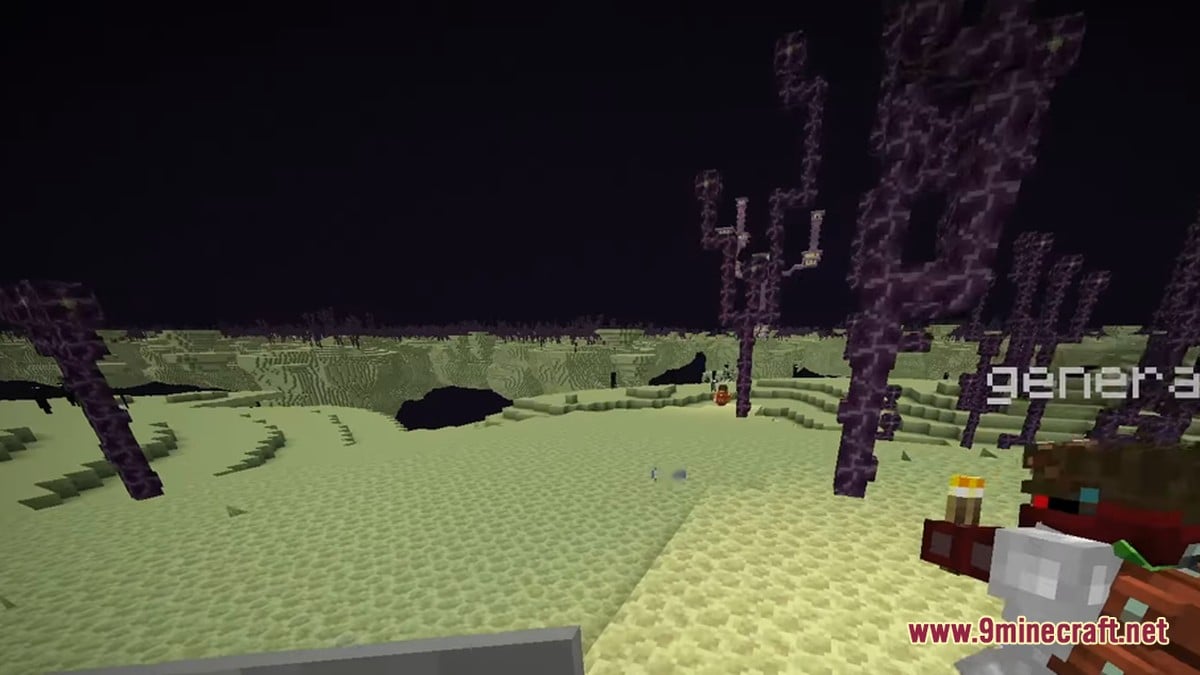
Getting ultra realistic graphics on Minecraft Bedrock and Pocket Edition no longer means switching to Java. Mojang's newer Vibrant Visuals and deferred rendering features have given Bedrock a fresh wave of shader-style packs for Android, iOS and Windows.
The catch is compatibility. Bedrock now runs on the RenderDragon engine, so older shaders often fail and the newest packs expect a recent game version. Here is what is worth trying, and how to install it.

Why Bedrock shaders work differently now
Iced Fox Studios explains that shaders are really resource packs that change how the game draws light, shadows, water and sky. Since the move to RenderDragon, only packs built for that engine will behave properly. Pack files usually arrive as a .mcpack or sometimes a .zip.
The same guide notes that Deferred Rendering is still an experimental feature. It needs specific hardware support and is not available on every device. MCPE Central adds that heavier lighting, reflections and PBR materials demand more GPU power, so an older phone may struggle where a newer iPhone or gaming PC copes.
The standout realistic packs
MCPE Central ranks Dark Fantasy Visuals third in its realism list. It uses Vibrant Visuals lighting for a darker, more cinematic mood instead of simply brightening the world. Its MCPEDL listing reports more than 1 million downloads. Dexerto, which credits Starfish Studios, compares the mood to Elden Ring and Dark Souls, with heavy fog and strong colours at night and dusk.
Prizma Visuals takes second place for its PBR-style materials, fog and improved textures. MCPE Central describes the Legacy edition as a Vibrant Visuals deferred pack with installation guides for Android, iOS and Windows 10. Dexerto calls Prizma Visuals 2.0 one of the most popular Bedrock shaders right now and says it keeps the classic Minecraft look.
MCPE Central puts Solar Shaders first, praising its volumetric amber fog, warm god rays, layered skies, auroras and shooting stars. The listing passes 900,000 downloads and is tagged Shaders, Realistic and Enhanced Visuals.
More options for different devices
Dexerto's wider list covers other tastes. Bliss offers a realistic sky, crisp water and creepy fog. Continuum is praised for realistic light and shadow, and Spectrum has downloads for Android, iOS and Windows. Photon is noted for cloud shading that shifts with weather and time of day.
Windows players with a ray tracing-capable card can try Vanilla RTX Normals, which Dexerto says adds god-ray lighting, shinier ores and metals, and colour-reflecting glass. For waves, the Water Normals pack adds boat physics to its new water.
MCPEDL's own shader feed shows how busy the scene is. Recent entries include the Newb family (Complementary Definitive Edition v1.4, Ale Renewed, Dragon and Dawn), all marked as RenderDragon-compatible with Minecraft 1.21.80.25+. It also lists AziFy Reimagined v3, with pink sunsets and screen space reflections on iOS, Android and Windows. Lynx Deferred PBR is flagged as deferred rendering with PBR, not RTX, and RealisCraft BE is a realistic default-texture pack aimed at RTX and deferred rendering.
| Pack | Known for | Requirement noted |
|---|---|---|
| Dark Fantasy Visuals | Dark, cinematic mood | Vibrant Visuals |
| Prizma Visuals | PBR-style materials, fog | Vibrant Visuals, deferred pack |
| Solar Shaders | Amber fog, god rays, auroras | Check listing for version |
| SERP | Lighting and water with no lag | Runs on 1 GB RAM (Dexerto) |
| Vanilla RTX Normals | God rays, shiny ores | Windows, ray tracing GPU |
| Newb X Daydream | Soft pink look, northern lights | Shader loader (MB Loader, Wyvern Loader or Hynis) |
How to install a Bedrock shader pack
The process is similar on every platform, based on Iced Fox Studios' walkthrough. Back up your worlds first, because newer graphics features can behave unpredictably.
- Download a RenderDragon-compatible pack as a .mcpack or .zip from the pack's own listing.
- Open the file with Minecraft: double-click on Windows, or tap it in a file manager or the Files app on Android and iOS.
- Wait for the import success message. For a .zip, extract it and place the folder in the resource_packs folder with the game closed.
- Go to Settings, then Global Resources, and move the pack from Available to Active. You can also add it per world under Edit, then Resource Packs.
- For Vibrant Visuals packs, switch that graphics mode on, and enable Deferred Rendering if the pack asks for it.
On Android, Iced Fox Studios warns that the app data folder can be hidden. You may need a file manager with access to it, or a PC connection.
What creators and players are saying
The material gathered for this piece contained no creator videos or comment threads, so there is no direct community reaction to summarise here. The strongest signals are download counts, which suggest real appetite for realistic Bedrock visuals. Dark Fantasy and Solar both sit near or above the 900,000 mark on MCPEDL, and Prizma is listed with millions.
The caveats come through in the guides themselves. Every outlet stresses version and device checks, and MCPE Central notes that Mojang keeps changing Bedrock's graphics system, so menus and requirements may shift. Players on older hardware should expect to pay for realism in frame rate.
Do I need a powerful device?
Not always. Dexerto says SERP can run with 1 GB of RAM, but MCPE Central warns that PBR, reflections and fog can demand more GPU power.
Will these work on Android and iOS?
Many do. Prizma lists guides for Android, iOS and Windows 10, and Spectrum and AziFy Reimagined v3 cover all three. Support is not universal, so check each listing.
Are RTX packs available on phones?
No. Dexerto notes RTX packs such as Vanilla RTX Normals need Windows and a ray tracing-capable graphics card.
Which look would you pick for your Bedrock world?
Tap an option to vote